Manual RFPs vs. RFP Software: An Honest Comparison
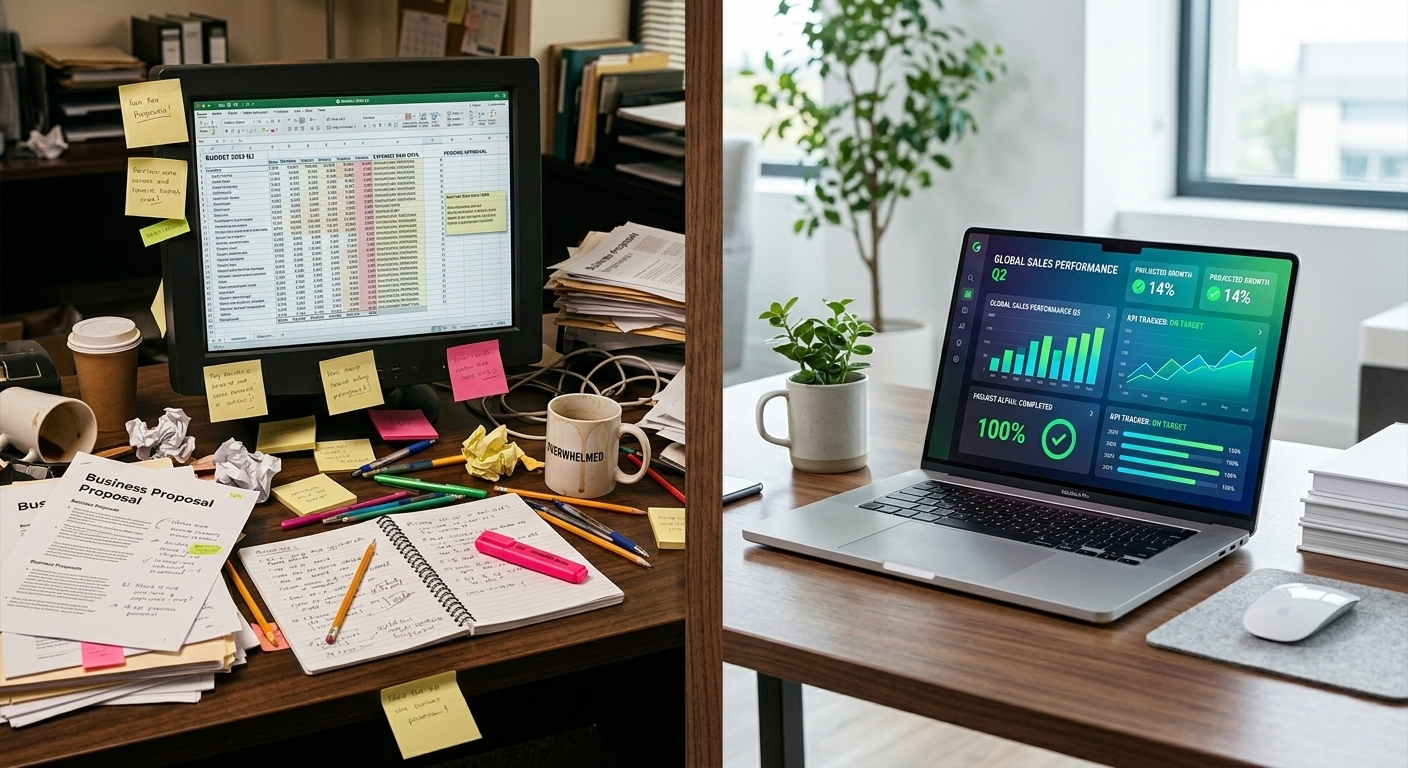
Manual RFPs vs. RFP Software: An Honest Comparison
Let's get something out of the way upfront: we make RFP software. We have a bias. We're going to be transparent about it, and we're going to give you the honest case for both sides so you can make your own decision.
Because here's the truth: RFP software isn't the right answer for everyone. And the manual approach isn't as broken as software vendors want you to believe.
What matters is understanding the real trade-offs—not the marketing version—so you can match the approach to your situation.
The Manual Approach: What It Actually Looks Like
When we say "manual RFP process," we're talking about the way 90% of small organizations handle procurement today:
You write the RFP in Microsoft Word or Google Docs. You email it to vendors (or maybe post it on your website). Vendors email back their proposals as PDF attachments. You read each proposal, take notes, and build a comparison in Excel or Google Sheets. You create a summary document or presentation for your board. The board discusses, you follow up with the selected vendor, and the process is done.
This approach works. Organizations have been doing it for decades, and many do it well.
Where the manual approach shines:
Full control over every word. When you write an RFP from scratch in Word, you control every sentence, every requirement, every nuance. There's no template constraining your thinking. If your project has unusual requirements, you can address them however you see fit.
No learning curve. Everyone knows how to use Word and Excel. There's no new software to learn, no logins to manage, no "how does this feature work?" moments when you're on a deadline.
No cost. If you already have Microsoft Office or Google Workspace, the tools are free. Your only investment is time.
Flexibility. The manual approach adapts to any project type, any size, any industry. You're not limited by what a software platform supports.
Where the manual approach struggles:
Time. The average manual RFP process takes 17–36 hours per project. Drafting from scratch, managing email correspondence, reading through lengthy proposals, and building comparison spreadsheets consume enormous amounts of time—time most people don't have.
Consistency. Every RFP is a little different, even when it shouldn't be. Without templates and structured workflows, important sections get forgotten, evaluation criteria shift between projects, and institutional knowledge walks out the door when staff turns over.
Comparison accuracy. When you're manually normalizing data from five vendors who each formatted their pricing differently, errors happen. A decimal in the wrong place, a line item you forgot to include, an "optional" add-on counted as base pricing. These mistakes directly affect which vendor appears to win.
Vendor experience. From the vendor's perspective, the manual process is often frustrating. Unclear requirements, inconsistent formats, and email-based submission make it harder to put together a strong proposal. The best vendors—the ones with plenty of work—are most likely to skip RFPs that feel disorganized.
Documentation. When your decision process lives in emails, spreadsheets, and memory, it's nearly impossible to produce a clear audit trail. If someone questions your recommendation six months later, reconstructing the rationale is painful.
The Software Approach: What It Actually Looks Like
RFP software ranges from enterprise procurement suites to lightweight, project-based tools. The general workflow looks like this:
You select a template or guided workflow for your project type. The software generates a professional RFP based on your inputs. You share a link with vendors, who submit proposals through an online portal. The software organizes, compares, and (in some cases) scores the proposals automatically. You review the comparison, make your decision, and export a report.
Where RFP software shines:
Speed. The biggest advantage is time savings. Tasks that take hours manually—drafting, formatting, comparing, reporting—can be compressed to minutes. Most organizations report saving 50–75% of the time they previously spent on each RFP.
Structured comparison. When vendors submit through a standardized portal, their responses arrive in a format that's already comparable. No more normalizing five different pricing formats in a spreadsheet at midnight.
Reduced errors. Automated comparison eliminates the data entry mistakes that plague manual spreadsheets. When the software pulls numbers directly from vendor submissions, there's no transcription step where errors creep in.
Professional output. Software-generated RFPs and decision reports look polished. This matters more than people admit—board members respond differently to a color-coded comparison dashboard than to a handwritten spreadsheet.
Documentation built in. Every step of the process is automatically recorded: who submitted, when, how they were scored, and why you made your recommendation. This audit trail protects you.
Where RFP software struggles:
Learning curve. Any new tool takes time to learn. Even simple platforms require an initial investment of 30–60 minutes to understand the workflow. For organizations that issue 1–2 RFPs per year, this overhead may not feel worth it.
Template limitations. Software templates are designed for common project types. If your RFP has highly unusual requirements, you may find yourself working around the template rather than with it. Good software lets you customize; bad software forces you into a box.
Cost. Software costs money. Enterprise platforms run $200–$2,000/month. Project-based tools like Bid Grid charge $39–$89 per RFP. For organizations with tight budgets, any additional cost requires justification.
Dependency. Once your process relies on software, you're dependent on that vendor's continued existence, uptime, and pricing decisions. If the tool changes or disappears, you need a backup plan.
Over-reliance on automation. Automated scoring is a powerful tool, but it's not a replacement for human judgment. Organizations that blindly follow software recommendations without applying their own knowledge of the local vendor market can make poor decisions. The software should inform your decision, not make it for you.
The Comparison: Side by Side
Let's look at specific scenarios where each approach has a clear advantage.
You issue 1–2 simple RFPs per year:
The manual approach probably wins here. The time investment in learning new software is hard to justify for infrequent use. Create a solid Word template and a reusable Excel scoring sheet, and you're well-equipped.
You issue 3–5 RFPs per year with 4+ vendors each:
This is where software starts making financial sense. At 3+ projects annually, the cumulative time savings (typically 15–20 hours per RFP) more than offset the cost. The consistency benefits compound too—your fifth RFP of the year benefits from the structured process you've built.
You present recommendations to a board or committee:
Software has a distinct advantage here. Board members are busy, skeptical, and protective of their organization's money. Walking in with a professional decision report featuring color-coded scores, side-by-side comparisons, and documented methodology earns trust faster than a printed spreadsheet.
Your projects have complex or unusual requirements:
The manual approach gives you more flexibility for truly unique projects. But "complex" and "unusual" are different things. Complex projects with many standard elements (pricing, insurance, experience, references) are actually where software shines—it handles the structured parts so you can focus your attention on the unique aspects.
You need an audit trail for compliance:
Software wins decisively. If your organization faces regulatory requirements, grant compliance obligations, or simply wants protection against future disputes, the automatic documentation that software provides is extremely valuable. Recreating a paper trail from emails and memory is unreliable and time-consuming.
You're working with a tight budget:
This depends on how you define "budget." If you mean cash outlay, the manual approach costs nothing beyond your existing tools. If you mean total cost including staff time, software often costs less. A $89 tool that saves 15 hours of $40/hour staff time produces a $511 net benefit per project.
What About the Middle Ground?
Here's something the software-vs-manual debate often misses: you don't have to choose one or the other.
Many organizations use a hybrid approach that captures the benefits of both. They use software for the structured, repetitive parts (drafting from templates, collecting proposals through a portal, generating comparisons) and apply manual judgment for the nuanced parts (evaluating unique qualifications, considering vendor relationships, incorporating local knowledge).
This is actually how Bid Grid is designed to work. The AI generates the RFP draft and scores the proposals, but you're always in control of the final decision. The software handles the 80% that's structured; you handle the 20% that requires human judgment.
How to Decide
Ask yourself these questions:
How many RFPs do I issue per year? If the answer is 3 or more, software will likely save you money. If it's 1–2, evaluate based on the other factors below.
How many vendors typically respond? Comparing 2–3 proposals manually is manageable. Comparing 6–10 is where manual processes break down and errors multiply.
Do I present to a board or committee? If yes, the professional output from software tools significantly reduces your preparation time and increases confidence in your recommendation.
Have I ever selected a vendor I regretted? If yes, consider whether a more structured evaluation process would have caught the warning signs.
How much is my time worth? Calculate the hours you spend on RFPs annually and multiply by your hourly cost. Compare that to the cost of software. The math usually speaks for itself.
Our Honest Recommendation
If you're reading this blog, you probably already suspect your current process could be better. Trust that instinct.
Start by improving your manual process: build better templates, create a scoring rubric, and standardize your comparison format. These improvements are free and meaningful.
If you find that you're still spending too many hours, struggling with comparisons, or dreading board presentations, take a look at software options. Bid Grid offers a free tier that lets you test the RFP creation workflow without spending a dollar. Use it on your next project and see whether the time savings are real for your situation.
The right answer isn't "always use software" or "never use software." It's the approach that saves your organization time, reduces risk, and helps you make confident decisions.
Curious what software could do for your next RFP? See Bid Grid's pricing →
Frequently Asked Questions
Can I use RFP software for just one project to test it?
Yes. Many RFP tools, including Bid Grid, offer per-project pricing specifically so you can try it on a single RFP before committing. This is the best way to evaluate whether the time savings are real for your organization.
Will vendors be confused by an online submission portal?
Most vendors prefer portal submission over email. It's clearer, faster, and they can see exactly what information is required. Bid Grid's vendor portal requires no login, which removes the most common barrier.
What if I have an RFP that doesn't fit any software template?
Good software lets you customize templates extensively. For truly unique projects, you can often use the software for the structured portions (pricing comparison, document generation) while adding custom sections manually.
How long does it take to learn RFP software?
Most lightweight tools take 15–30 minutes to learn. Enterprise platforms may require formal training. Bid Grid uses a guided wizard that walks you through each step, so most users create their first RFP without reading any documentation.